


The SPOT User Guide: Section 9 - Prior Auth
Part A and B providers can easily submit their Prior Authorization Request (PAR) forms in SPOT for certain hospital outpatient department services. Part B providers may also submit PARs for certain repetitive scheduled non-emergent ambulance transports (RSNAT) and for certain ambulatory surgical center (ASC) services.
Prior Authorization Requests
To submit prior authorization requests:
- Select Prior Auth from the top menu.
- Select Prior Authorization Requests from the submenu.
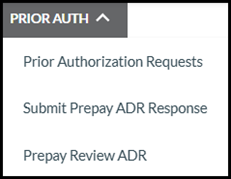
Figure 1: Prior Auth menu
- Select the Prior Authorization Type. Part B providers will have options for ambulatory surgical center (ASC), hospital outpatient department (HOPD), or non-emergent ambulance (RSNAT).
- Enter all required information based on the prior authorization type selected.
Ambulatory Surgical Center
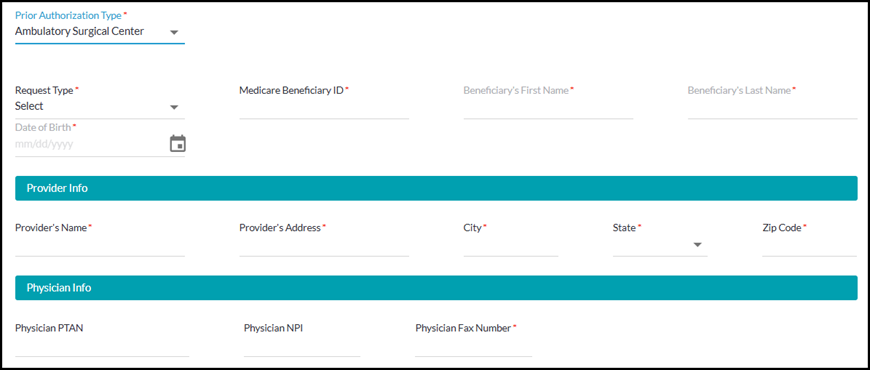
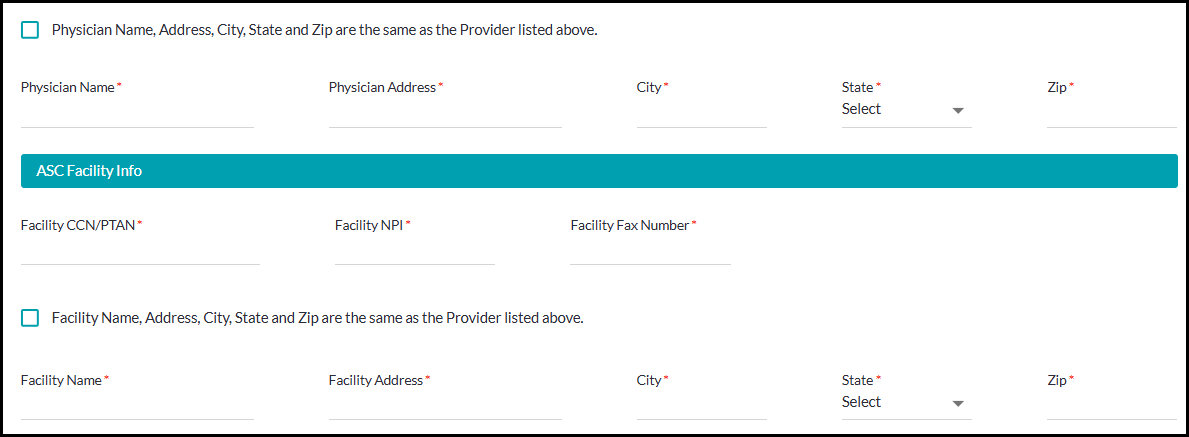
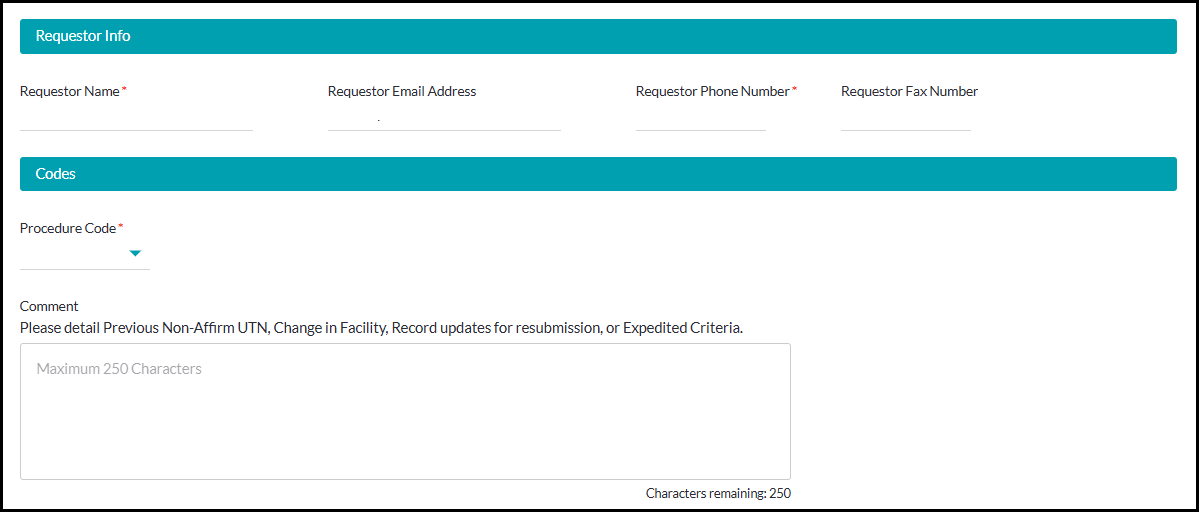
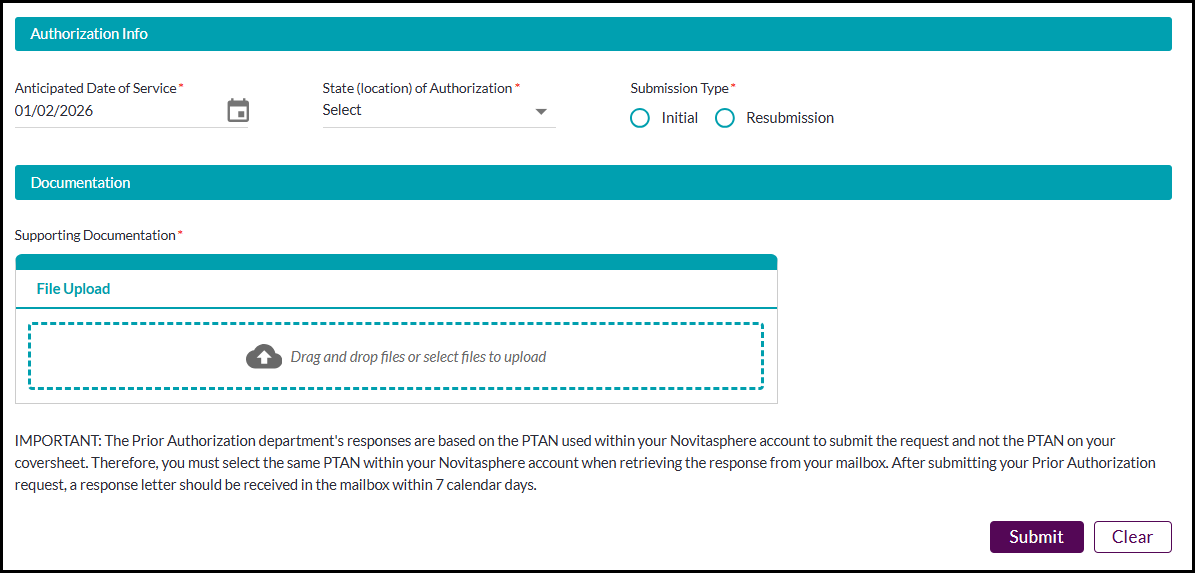
Figure 2: Part B Prior Authorization Request - ASC
- Required information for ASC:
- Request Type: Expedited or Standard
- Beneficiary ID, first name, last name, date of birth
- Provider name, address, city, state, zip code
- Physician fax number
- Physician name, address, city, state, zip
- Facility CCN/PTAN, NPI, fax number
- Facility name, address, city, state, zip
- Requestor name, phone number
- Procedure code - list of procedure codes for ASC services
Authorization start date, state, submission type - Supporting documentation - Include the cover sheet as the first page of your attached documentation. The acceptable document formats are TIFF and PDF. Password protected documents cannot be processed and will not be accepted.
Hospital Outpatient Department
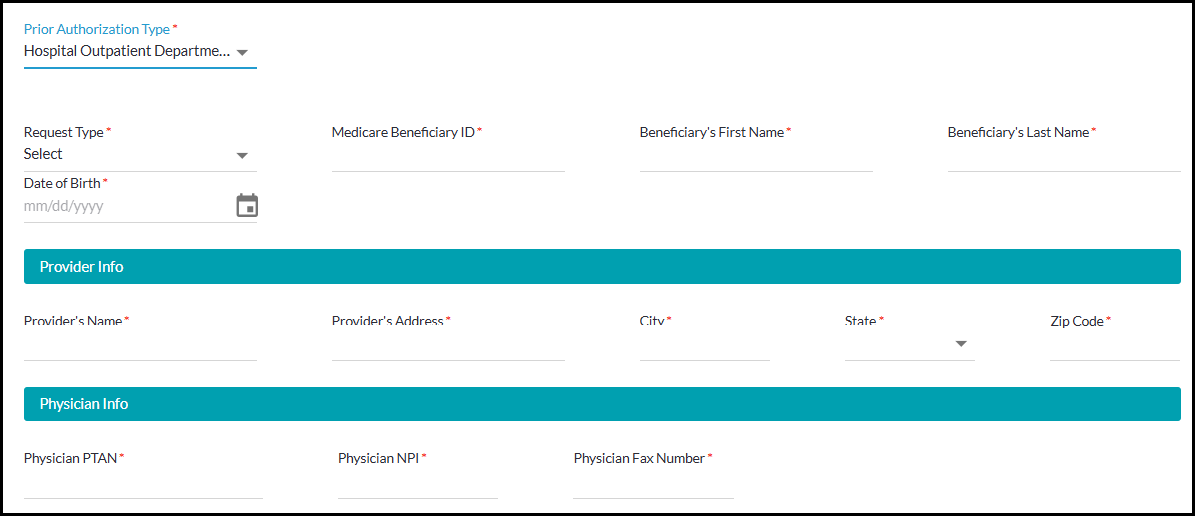
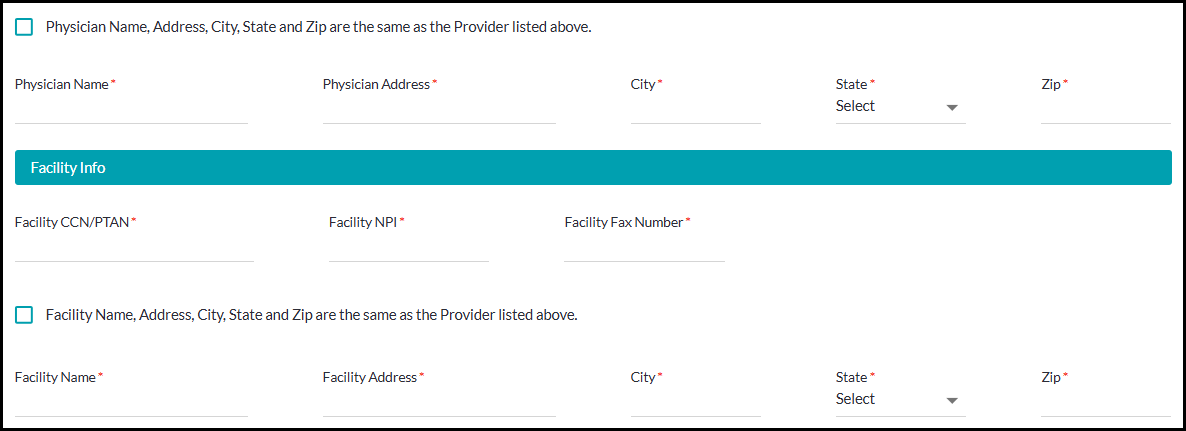
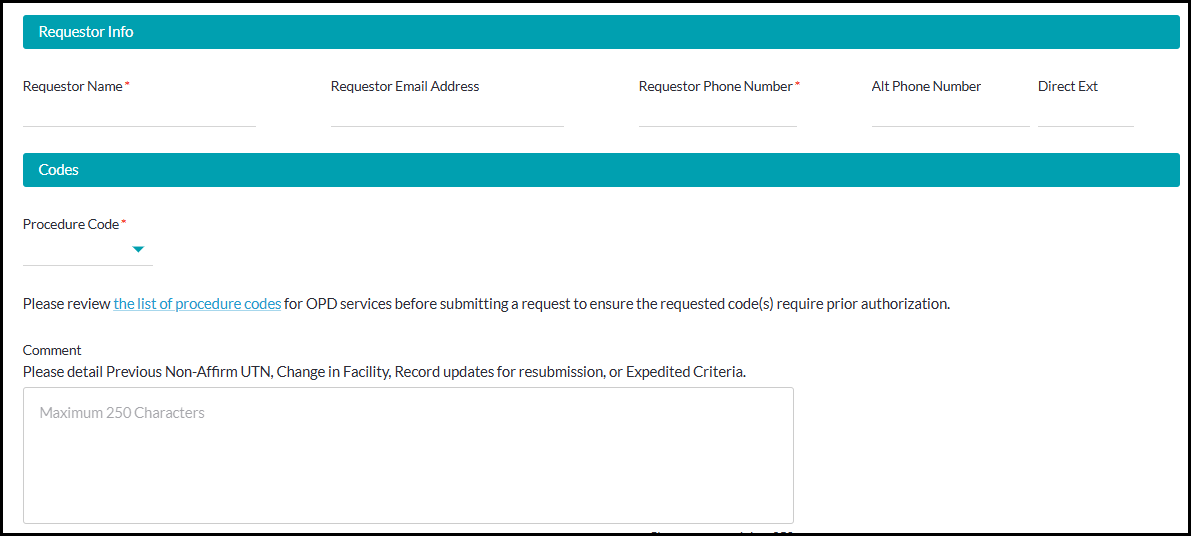
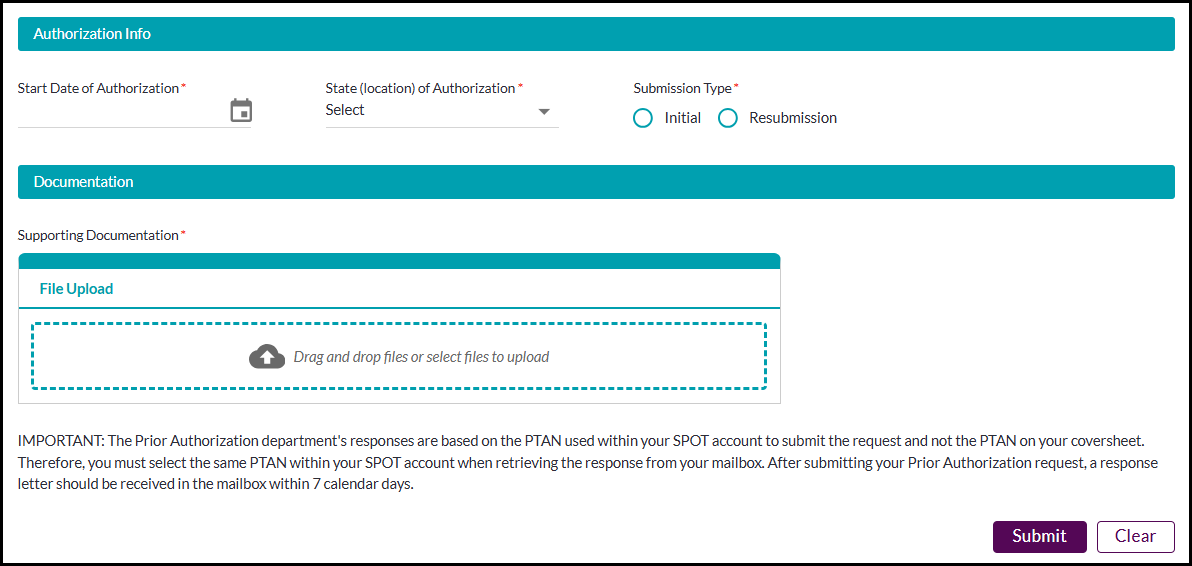
Figure 3: Prior Authorization Request – HOPD
- Hospital Outpatient Department required information:
- Request Type: Expedited or Standard
- Beneficiary ID, first name, last name, date of birth
- Provider name, address, city, state, zip code
- Physician PTAN, NPI, fax number
- Physician name, address, city, state, zip
- Facility CCN/PTAN, NPI, fax number
- Facility name, address, city, state, zip
- Requestor name, phone number
- Procedure code - list of procedure codes for OPD services
- Authorization start date, state, submission type
- Supporting documentation. Include the cover sheet as the first page of your attached documentation. The acceptable document formats are TIFF and PDF. Password protected documents cannot be processed and will not be accepted.
Non-Emergent Ambulance
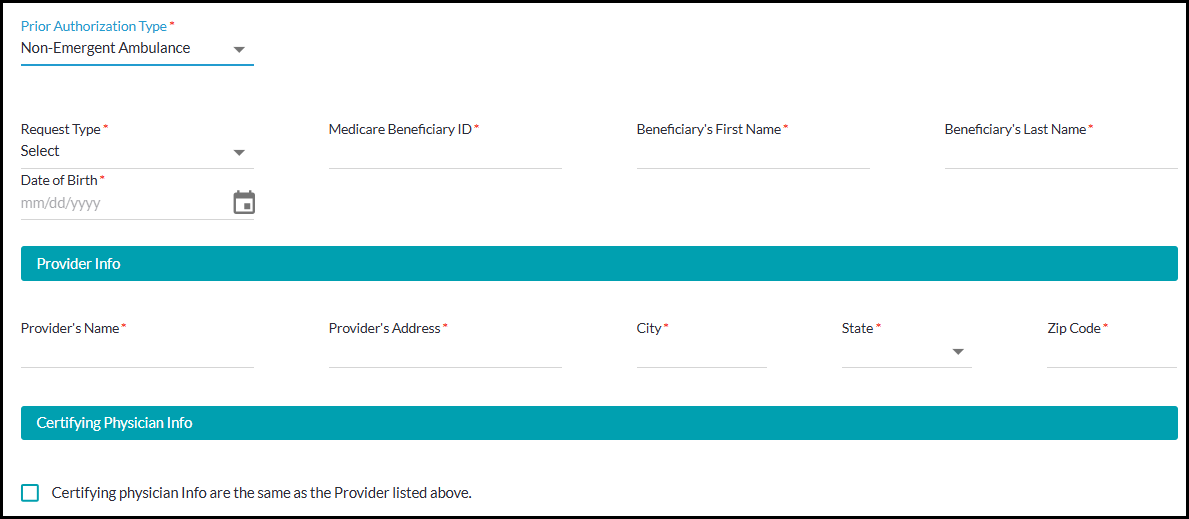
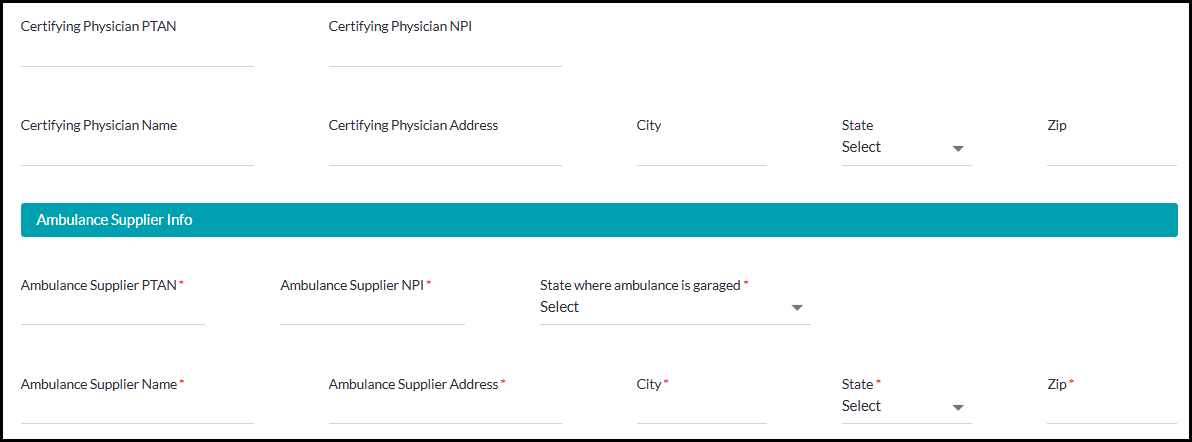
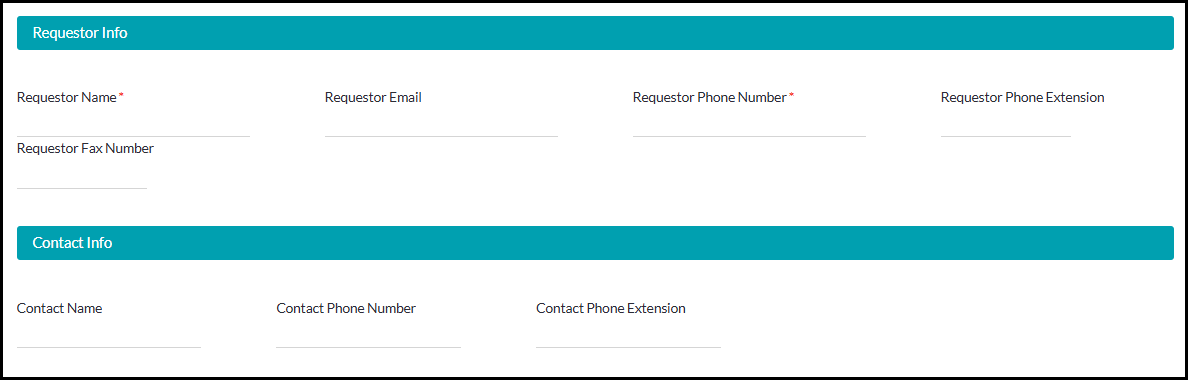
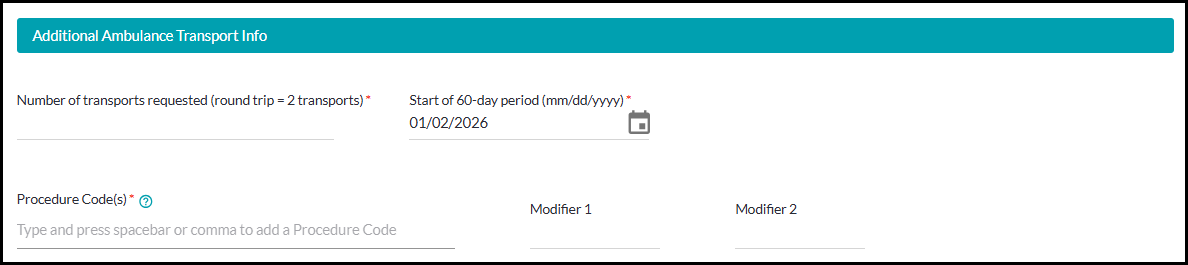
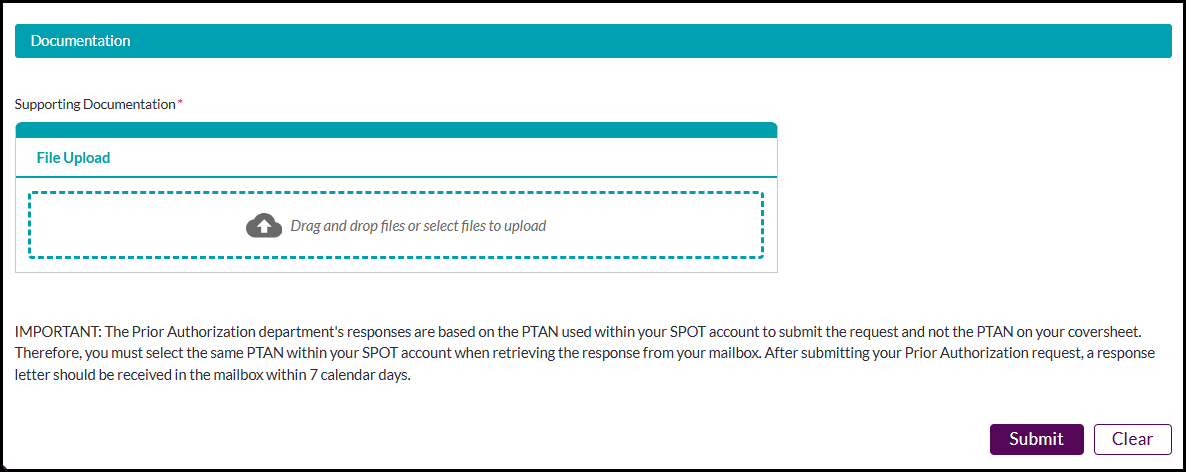
Figure 4: Part B – Prior Authorization request – Non-emergent ambulance
- Non-Emergent Ambulance required information:
- Request Type: Initial or Resubmission
- Beneficiary ID, first name, last name, date of birth
- Provider name, address, city, state, zip code
- Ambulance supplier PTAN, NPI, state where ambulance is garaged
- Ambulance supplier name, address, city, state, zip
- Requestor name, phone number
- Number of transports requested (round trip = 2 transports)
- Start date of 60 day period
- Procedure code(s) - type and press spacebar or comma to add a procedure code
- Supporting documentation. Include the cover sheet as the first page of your attached documentation. The acceptable document formats are TIFF and PDF. Password protected documents cannot be processed and will not be accepted.
- Click Submit. If your submission was successful, you will receive a message with a confirmation number for tracking. You may use this tracking number to review status via the Submission history / Check status feature.
Please allow up to 7 business days for your form to be processed.
Once a decision has been made on your request, you will receive an email in your SPOT inbox. Click the mailbox icon on the top right to view messages. Click the PDF icon to view the letter which will indicate whether your request has been approved or not approved, as well as additional instructions and information.
Submit Prepay ADR Response
This feature will allow Ambulatory Surgical Centers participating in the Prior Authorization demonstration to respond to Additional Documentation Requests (ADR).
To submit the Prepay Form:
- Select the Prior Auth option from the SPOT toolbar.
- Select Submit Prepay ADR Response from the drop down.
- Select a Prior Authorization Type from the drop down.
- Enter the required Claim Number and click Next.
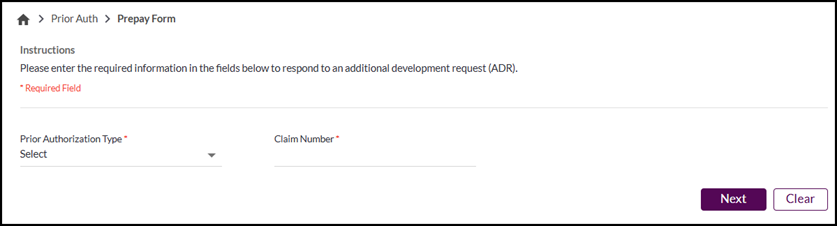
Figure 5 - Prepay Form Claim Number
- Upload the supporting documentation. The acceptable document formats are TIFF and PDF. Password protected documents cannot be processed and will not be accepted.
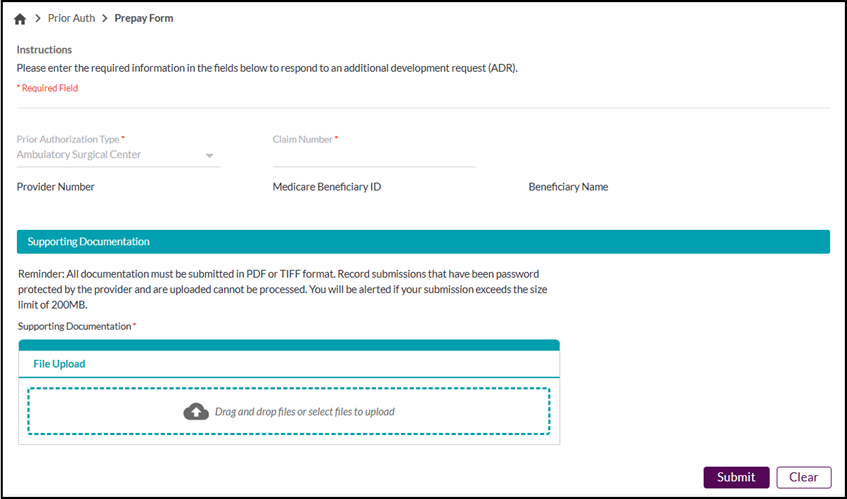
Figure 6 - Prepay Form
- Click the Submit button. You will receive a record submission confirmation once complete. A confirmation notice can be viewed in the Submission History feature located in the Submit Documents dropdown or within the Dashboard.
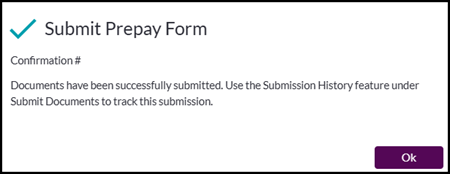
Figure 7 - Prepay Form Submission Confirmation
Prepay Review ADR
This feature will allow Ambulatory Surgical Centers participating in the Prior Authorization demonstration to view and download an Additional Documentation Requests (ADR).
To submit a Prepay Review ADR:
- Select the Prior Auth option from the SPOT toolbar.
- Select Prepay Review ADR from the drop down.
- Complete the Date of Service from and to dates, the claim number and/or the Medicare Beneficiary ID (MBI) on the search tab and click Search.
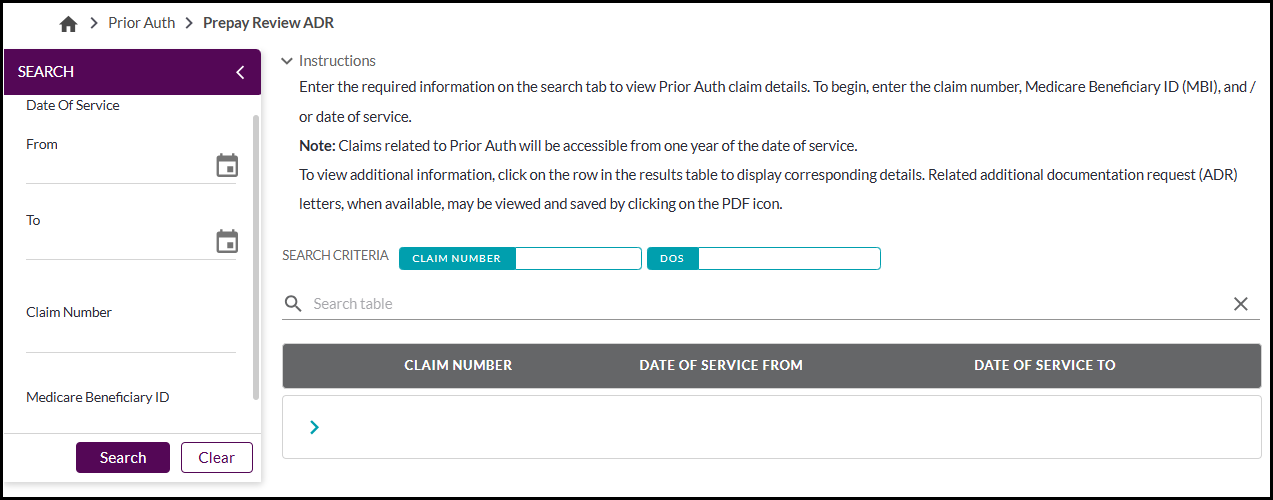
Figure 8 - Prepay Review ADR search
Click the arrow on the results row to view the ADR details. If needed, click the PDF icon to download the ADR letter.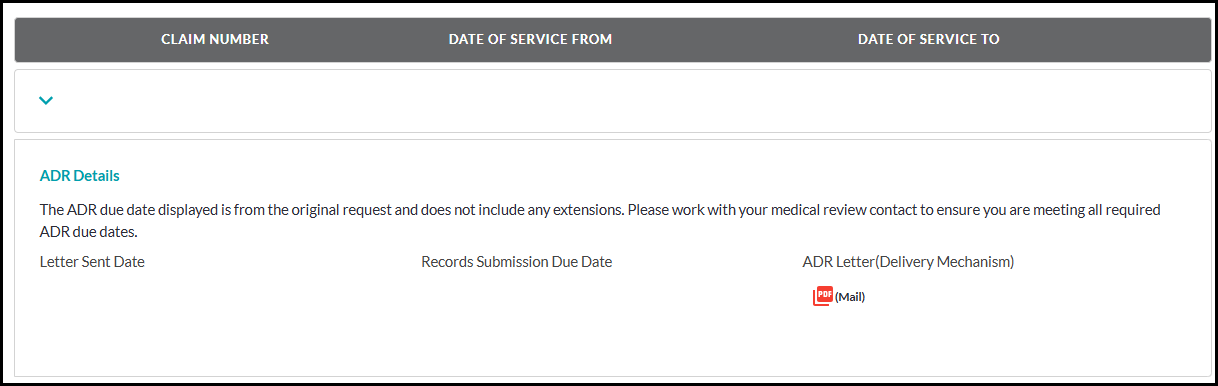
Figure 9 - Prepay Review ADR details