NCCI PTP lookup help guide
The NCCI was implemented to promote national correct coding methodologies and to control improper coding leading to inappropriate payment. The NCCI PTP lookup tool is designed to help providers identify when certain codes are subject to the automated prepayment edits.
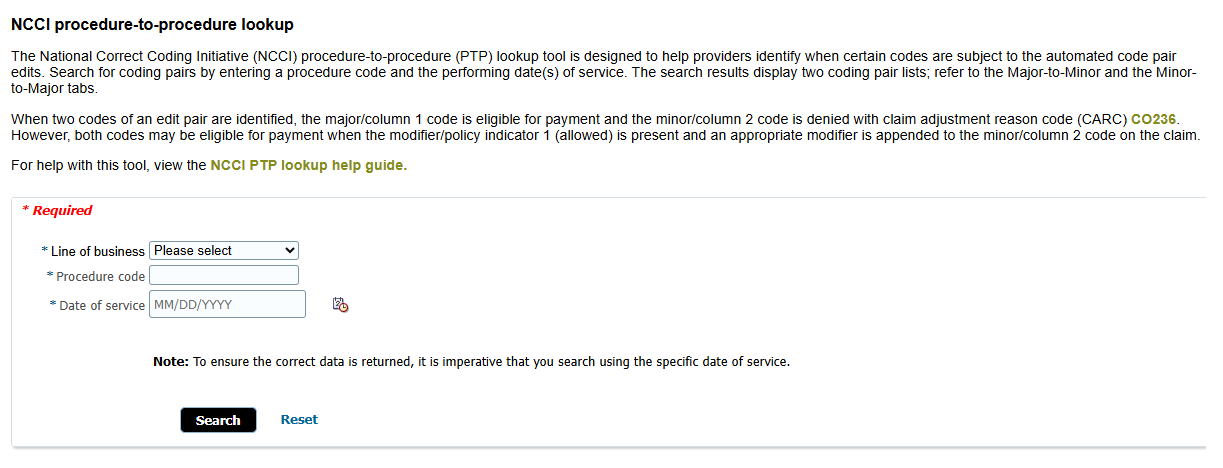
To determine if a procedure code is subject to pairing edits, select your line of business, enter the procedure code, and date of service into the lookup tool and click the ‘Search’ button.
Note: To ensure the correct data is returned, it is imperative that you search using the specific date of service.
The results will be displayed below.
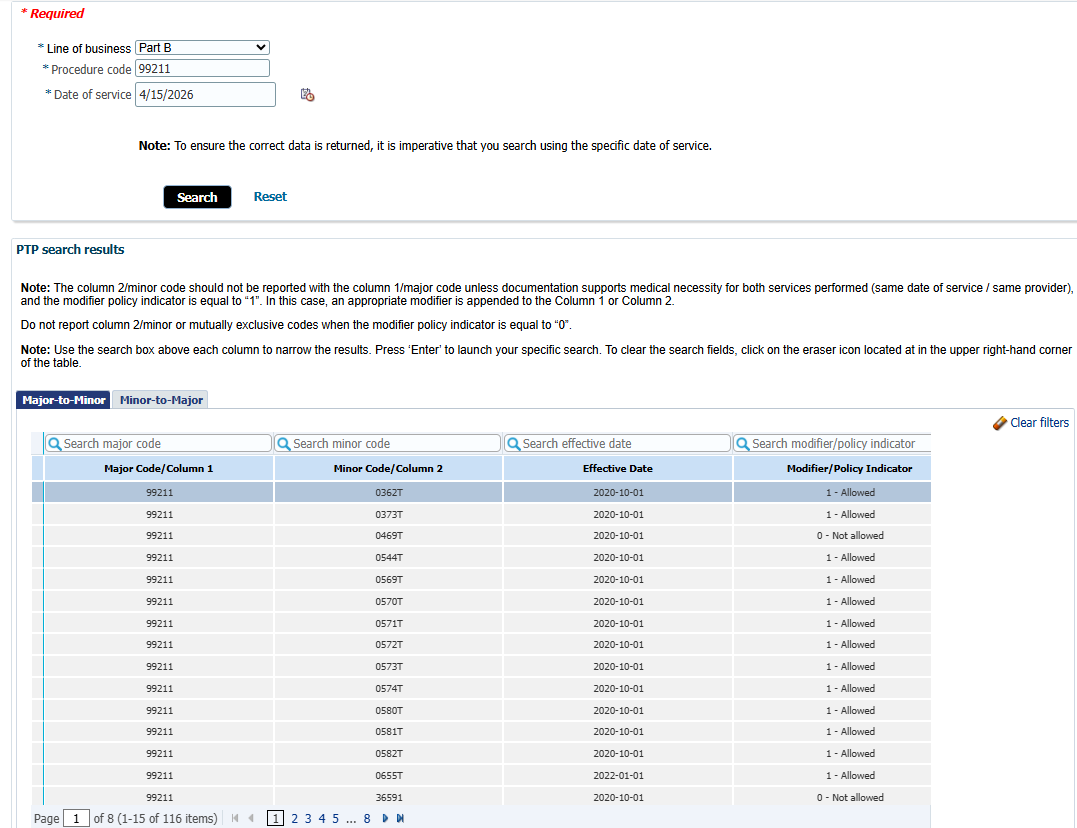
Included in the results are two tabs which identify the Major-to-Minor and Minor-to-Major coding pair edit relationships.
Refer to the Modifier/Policy Indicator column to determine payment eligibility.
1 – Allowed: Both codes may be eligible for payment when an appropriate modifier is appended to the Minor/Column 2 code on the claim.
0 - Not Allowed: The codes listed under Minor Code/Column 2 will be denied with claim adjustment reason code (CARC) CO236.
Major-to-Minor
The tool will default to the Major-to-Minor pairing edits relationship and list the procedure code entered in the Major Code/Column 1.
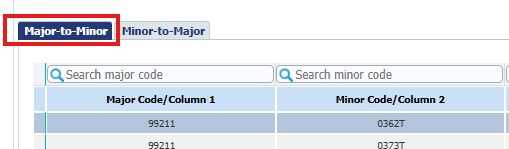
When an edit pair is identified, the procedure code listed under Major Code/Column 1 is eligible for payment.
Any minor codes associated with this procedure code will be listed in the Minor Code/Column 2.
Note: The column 2/minor code should not be reported with the column 1/major code unless documentation supports medical necessity for both services performed (same date of service / same provider), and the modifier policy indicator is equal to “1”. In this case, an appropriate modifier is appended to the column 2/minor code.
Do not report column 2/minor or mutually exclusive codes when the modifier policy indicator is equal to “0”.
The effective date of the coding pair edit is listed in the third column.
Minor-to-Major
You may also review the pairing edit relationships when the procedure code entered is a minor code.
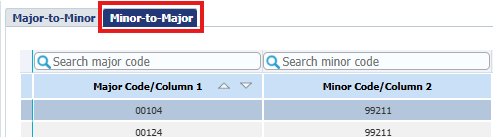
Simply click the Minor-to-Major tab to locate all major codes associated with the procedure code entered.
The Effective Date and Modifier/Policy Indicator columns will now reflect the data based on the procedure code entered as the minor code
Filter your results
You may narrow your search by typing specific codes, dates, or indicators in the search boxes above each column.
Type a keyword into the appropriate search box and press ‘Enter’.
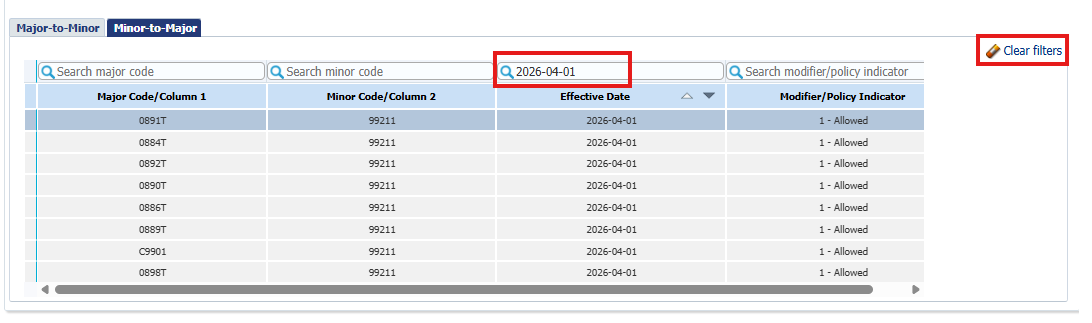
Note: When searching by Effective Date, enter the same format as shown the results: YYYY-MM-DD.
When searching by Policy Indicator, type ‘0’ or ‘1’ within the ‘Search modifier/policy indicator’ search box.
To return to the full list of results, click on the eraser icon located in the upper right-hand corner of the table.
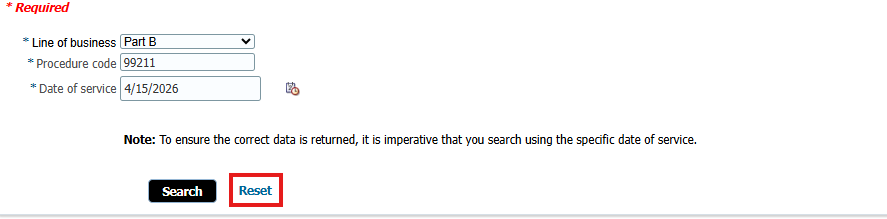
Click the ‘Reset’ link to clear all results and launch a new search.